Last updated: August 10, 2026
Zendesk AI pricing now runs on two billing models at once. The older one counts automated resolutions. The newer one pays for them out of a resolution allowance, a currency pool sized by plan type and agent seat count. Accounts move from one to the other on 30 days’ notice. Zendesk’s own migration examples state that the prices shown in them are placeholders.
Verdict in one sentence. Do not approve a Zendesk AI budget from the seat price or the “as low as $1.50” headline; establish which model the account is on, get each tier price into the service order, and confirm when an overage control actually takes effect.
Built from Zendesk’s published documentation and contract terms. No account, no purchase, no invoice, no dashboard access, no product testing. This describes what the documents state and where they conflict.
- Support Ops and CX leads who own the AI configuration
- Finance and procurement approving or renewing a Zendesk spend
- Accounts still on AI agents Essential or the legacy bot builder
- Anyone evaluating Forethought AI Agents by Zendesk
- Teams comparing seat prices across help desk vendors
- Readers who want a feature walkthrough or interface review
- Anyone expecting a single all-in monthly figure
| Billing models in use | Two. A legacy automated-resolution count model, and a resolution allowance model funded in currency. |
| How accounts move | Zendesk gives 30 days’ notice before upgrading an account to the new tier pricing. |
| Default allowance | Suite Team $2, Growth and Professional $5, Enterprise and Enterprise Plus $10 per agent seat per month. Annual maximum stated as $5,000. |
| What is billable | Contested between two current Zendesk pages. See section 03. |
| Tier prices | Not published. Zendesk states the prices in its examples are placeholders and directs buyers to Sales. |
| Overage default | Allow overage. For Forethought plans it is selected automatically and cannot be changed. |
| Monitoring | Two dashboards, an 80% warning, a CSV export carrying per-resolution cost, and a tier dispute route through Support. |
| Hard deadline | AI agents Essential and legacy bot builder are removed on 10 December 2026. |
Which billing model is your account on
This is the first procurement question, and most Zendesk pricing coverage skips it.
Zendesk’s older documentation describes automated resolutions as a count. Plans include a number of resolutions per agent per month, customers buy more in blocks, and overage is charged per resolution beyond the allotment. That page now identifies itself as describing the platform in place before 18 May 2026.
The newer documentation describes something different. Resolution pricing is measured in tiers funded by a resolution allowance, which Zendesk defines as a flexible currency pool used to pay for the cost of automated resolutions. Zendesk states plainly that this model replaces the former one.
Both are live. Zendesk’s upgrade documentation says the article applies to accounts it is upgrading, that it will notify the customer before doing so, and that it provides 30 days’ notice with the planned upgrade date. Four cohorts are described. Accounts not using automated resolutions are unaffected. Existing accounts that do use them see the new tiers in the interface, and Zendesk states their tier pricing will not increase during the transition. New accounts created during the transition period have tier pricing that is negotiated. Accounts created after the transition ends get the new tier pricing automatically.
Two organizations can therefore run the same product, on the same plan, under different pricing architectures, and neither can read its own cost model off the public pricing page.
Sources: Zendesk, accessed 10 August 2026 (sections: About the upgrade, Upgrade plans) · Zendesk, accessed 10 August 2026
The allowance is money, not resolutions
Under the newer model the included allowance is denominated in dollars, and its size is set by plan type and seat count.
| Plan | Zendesk Suite | Zendesk Support |
| Team | $2 | $2 |
| Growth | $5 | Not applicable |
| Professional | $5 | $2 |
| Enterprise | $10 | $2 |
| Enterprise Plus | $10 | Not applicable |
Light agents are excluded from the calculation. Zendesk’s worked example: a Suite Enterprise account with 20 agent seats has a monthly allowance of $200; a Support Enterprise account with 20 seats has $40.
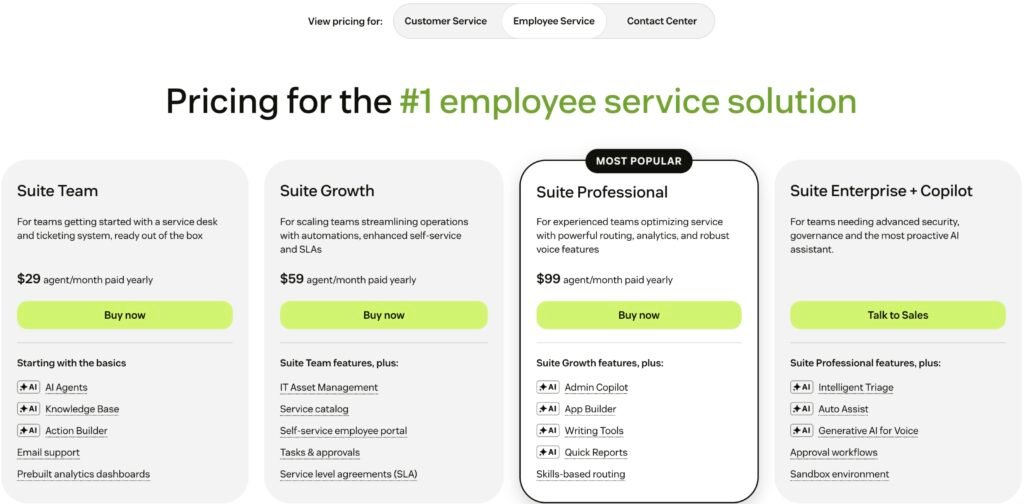
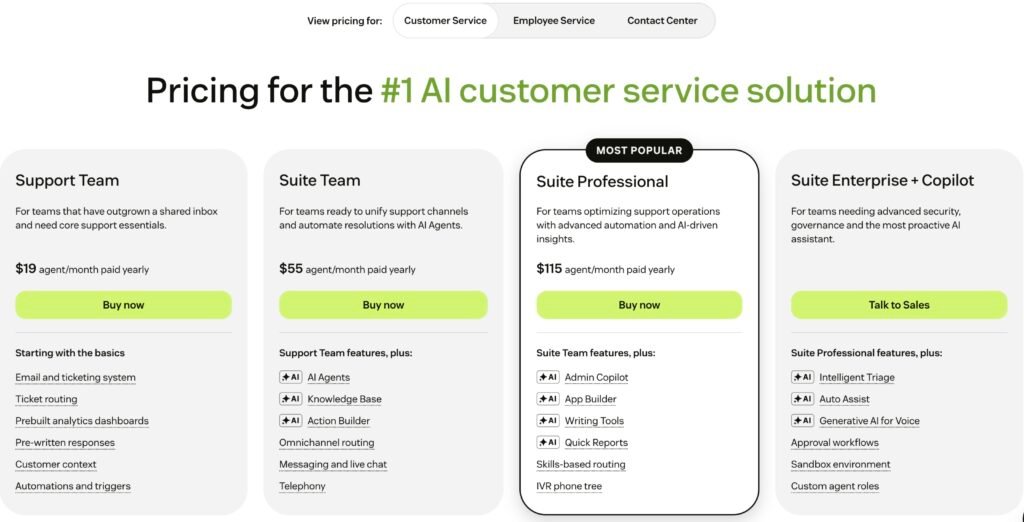
Three properties of this pool matter more than the table.
Unspent allowance is not banked. Zendesk states that monthly allowances do not carry over if unused, and that automated resolutions do not roll over to the next usage period.
There is also a ceiling. The page states that the maximum allowance per year for all plans is $5,000. That sentence sits inside the section describing the default allowance, and the page does not say whether the ceiling also caps purchased allowance. On Suite Enterprise at $10 per seat per month, the arithmetic passes $5,000 at 42 agent seats. Past that point, on the reading that the cap applies to the included allowance, further seats add cost without adding AI budget.
The pool is denominated in US dollars. Zendesk describes the dashboard field as a total resolution budget shown in US dollars, and its supported payment currencies are the dollar, euro, pound sterling, and Brazilian real. Buyers outside those four carry exchange exposure on the AI line as well as the seat line.
Increasing the allowance runs through Sales, and Zendesk says the added currency works as a general funding pool applied to any resolution on any ticket.
Sources: Zendesk, accessed 10 August 2026 (sections: Viewing allowance details, Understanding the default resolution allowance, Increasing your resolution allowance) · Zendesk, accessed 10 August 2026 · Zendesk, 16 July 2026
What is billable, and where the documents disagree
Zendesk sorts every AI conversation into one of three tiers after a 72-hour window with no customer follow-up, at which point a large language model reads the conversation and judges whether the request was satisfactorily resolved.
Assisted escalation means the AI contributed and a human finished the work. Contained resolution means the AI handled the interaction and the customer did not return, but the model’s check did not confirm a resolution. Verified resolution means the check passed.
Now the conflict.
The tiers page states that Assisted escalation does not count against the resolution allowance, and states the same of Contained resolution. Read alone, only Verified resolutions consume budget.
The allowance page says something else. It states that the default allowance can be used for any automated resolution tier, that purchased currency is applied to any resolution on any ticket regardless of the ticket’s resolution tier, and that the financial dashboard shows a breakdown of resolution tiers by spend with a filter for Assisted escalation, Contained resolution, or Verified resolution. A dashboard that reports spend by a tier implies that the tier can carry spend.
A third page adds a wrinkle rather than a decision. The resolution usage dashboard groups the tiers under two headings: Assisted escalation sits under Escalations, while Contained and Verified resolutions sit together under Automated Resolutions.
Both pages are current Zendesk documentation. This briefing does not resolve the conflict, because the published material does not. It is the most consequential question a buyer can put to Zendesk in writing, because the answer changes the denominator of every AI forecast.
There is one route to an answer that does not require Sales. Zendesk documents a CSV export from the resolution usage dashboard, and lists cost among the per-resolution fields it contains. An existing customer can filter that dashboard to Contained resolution, export, and read the cost column. The documentation does not settle the question. A customer’s own export should.
There is a related trap in the older model that survives for accounts not yet upgraded. Zendesk’s legacy documentation warns that for email AI agents, if the required automation trigger has not been created, human replies do not appear in the conversation logs, and automated resolutions might be consumed for conversations they should not be.
Sources: Zendesk, accessed 10 August 2026 · Zendesk, accessed 10 August 2026 (sections: Opening the resolution allowance dashboard, Understanding the default resolution allowance) · Zendesk, 7 August 2026 (sections: Opening the resolution usage dashboard, Exporting contributing resolutions) · Zendesk, accessed 10 August 2026
The $1.50 headline is not a rate card
A Zendesk comparison page lists Zendesk AI with a starting price of “as low as $1.50 per resolution.” The page does not state the volume, contract term, region, resolution tier, or billing model that produces it.
Zendesk’s own migration documentation is more guarded. Alongside its example service order and invoice, it states that the prices shown are placeholders only, not the actual prices, and directs buyers to Sales for pricing details. The Supplemental Terms say overage is charged at the current list price, and do not print that price.
None of these statements contradicts the others. A marketing floor, a placeholder example, and an unprinted list price can coexist without producing a budget a finance team can defend.
The practical consequence is narrow and worth stating exactly. The account’s real per-tier pricing lives in the service order and the invoice, both of which Zendesk says now itemize resolution tiers. Until a buyer holds one of those documents, the AI line in a Zendesk cost model is an assumption, however precisely it is written down.
Sources: Zendesk, 24 March 2026 · Zendesk, accessed 10 August 2026 (section: Example service order and invoice) · Zendesk, 23 June 2026 (section: AI Agents supplemental terms)
What you can watch, and where the controls stop
Zendesk is not running an unobservable meter, and a briefing that implied otherwise would be wrong.
Under the allowance model, billing admins get a resolution allowance dashboard showing spend by tier in currency, filterable by date range, tier, brand, and channel, with links through to the contributing tickets. Admins get a separate resolution usage dashboard that reports usage as a percentage without on-screen pricing and itemizes each resolution down to the ticket, listing ticket ID, tier, channel group, whether the AI agent was Zendesk or Forethought, brand, and timestamp. Ticket events show the resolution type and assigned tier. The AI agent conversation overview shows which tier a conversation received and the reasoning behind it. Service orders and invoices break out the tiers.
Warnings are pushed, not pulled. Zendesk states that at 80% of resolutions used an admin gets an in-product warning and an email, with another if the limit is passed.
The export is the strongest of these. Zendesk documents a CSV of contributing resolutions honoring the dashboard’s current range and view, listing cost among the per-resolution fields, with a download link stated to last 14 days. A dashboard that hides pricing on screen exports it per row.
There is a dispute route. Zendesk writes that a customer who disagrees with a ticket’s assigned tier should contact Zendesk Customer Support. That is the whole documented process, published without criteria or a response window.
That is a real audit trail, and more than most outcome-priced AI products publish.
The limits sit in the contract rather than the interface, and they concern timing and recourse.
The Supplemental Terms state that the usage dashboard is not updated in real time, and that Zendesk will not be responsible for any pay-as-you-go fees arising out of a delay in updating usage. The dashboard image published in Zendesk’s own documentation carries the label “Chart updated in the last 4 hours.” Neither the help documentation nor the terms publish a refresh interval, so the label in the example is the only indication of scale a buyer has before signing. They state that a customer-elected cap takes effect in the next monthly billing period and cannot be applied to the current one. The help documentation describes the same control as a self-service setting, Allow overage or Don’t allow overage, without repeating that timing limitation on the settings page. A buyer relying on the button should ask Zendesk to reconcile the two.
Allow overage is the default.
Two further provisions narrow recourse. The terms acknowledge that an unauthenticated user may be counted as separate interactions across channels, browsers, or devices, and state that this will not form the basis of any claim against Zendesk. They also state that Zendesk may, but is not required to, apply methods to exclude certain resolutions from the calculation, that it may adjust those methods when commercially reasonable, and that adjustment may change a customer’s usage.
Sources: Zendesk, 7 August 2026 (sections: Viewing details for contributing resolutions, Usage notifications, Exporting contributing resolutions, Disputing an automated resolution tier) · Zendesk, accessed 10 August 2026 (section: About the upgrade) · Zendesk, accessed 10 August 2026 (section: Setting your resolution overage response) · Zendesk, 23 June 2026 (section: AI Agents supplemental terms)
Migration is part of the cost model
A second migration is running alongside the pricing one, and it has a hard end date.
Zendesk announced on 23 June 2026 that AI agents Essential and the legacy bot builder, answers, and intents are being removed. Development stops on 31 August 2026. The features are removed on 10 December 2026, and Zendesk states that any AI agents left on that technology will no longer function. Customers who previously purchased the AI agents Advanced add-on are outside the scope.
The same announcement carries the sentence a budget owner needs. Zendesk writes that customers may see changes in the number of automated resolutions as they begin using upgraded capabilities, that because pricing is tied to outcomes those changes may affect overall usage and associated costs, and that existing overage configuration will continue to be respected.
That is not a prediction that bills will rise. It is a vendor statement that a pre-migration resolution count is not a safe post-migration forecast.
The operational cost is documented too. Legacy configurations may need to be rebuilt. Bot builder maps to a dialogue builder, answers to dialogues, intents to use cases. In the new experience each AI agent works on a single channel type, so one agent covering messaging and email becomes two. For setups with many answer flows or heavy branching, Zendesk recommends its AI Expert offering, which it describes as a recurring service subscription. An automated migration tool is described as a future capability.
The test worth running before renewal is a matched sample: the same ticket mix measured before and after migration, with the tier distribution recorded both times.
Sources: Zendesk, 5 August 2026 · Zendesk, 31 July 2026
Forethought sits in a narrower envelope
Zendesk completed its acquisition of Forethought in March 2026 and sells Forethought AI Agents as a line that runs inside Zendesk and on other service platforms. Its commercial and control envelope is not the same as the rest of Zendesk AI.
Forethought plans do not include a default resolution allowance. A customer holding a Forethought plan without a Suite or Support plan is told to contact Sales to purchase allowance separately.
The overage control is removed. Zendesk’s allowance documentation states that for Forethought customers, Allow overage is automatically selected and cannot be changed. The Supplemental Terms say the same thing from the contract side: the customer will not have the ability to automatically cap consumption of its allowance in the Forethought dashboard, and is responsible for monitoring usage.
The terms then list what Forethought is not currently covered by or eligible for: Zendesk Premier Support, the Data Center Location add-on, FedRAMP Tailored Certification, Advanced Data Privacy and Protection, and Enhanced Disaster Recovery. For an organization with a data residency requirement, the Data Center Location exclusion is the one to raise first. Zendesk also states that any realized or cost savings figure shown in the Forethought Insights dashboards is an estimate for informational purposes only.
Visibility is shared but not identical. Forethought resolutions appear in the same usage dashboard, tagged in an AI agent column, but drill-through opens the Forethought Solve Insights dashboard rather than the Zendesk conversation overview, and Zendesk notes that brand is not applicable for them.
On healthcare scope, Zendesk’s Advanced Compliance page lists AI Agents Advanced among its HIPAA enabled add-ons. Forethought AI Agents do not appear in that table.
Sources: Zendesk, accessed 10 August 2026 · Zendesk, 7 August 2026 · Zendesk, 23 June 2026 (section: Forethought AI Agents supplemental terms) · Zendesk, 5 June 2026
Renewal and exit
Renewal is where the new pricing lands. Zendesk states that when a customer renews the subscription, the new resolution tiers pricing will apply, that subscription prices will not change during the transition period, and that after the transition it gives 30 days’ notice before upgrading an account to the new tier pricing.
Reducing commitment is constrained separately. The Customer Agreement bars downgrading a service plan or reducing a pricing metric such as agent count during a subscription term. A reduction for a future term requires at least 30 days’ written notice to [email protected], and the customer must also remove or deactivate the affected agents before the next term begins. Notice on its own does not prevent renewal at existing levels. Zendesk’s cancellation documentation adds that individual products cannot be canceled out of a Zendesk Suite account, and that sales-assisted accounts cannot cancel online.
Getting data out runs on a different clock than deleting it. The Customer Agreement grants export during the subscription term and for 30 days afterward, subject to stated exceptions. The Service Data Deletion Policy states that an automated permanent deletion process begins 90 days after an account is canceled or terminated, with product-specific timelines following, and that Zendesk does not offer expedited deletion. The contractual retrieval window closes before the deletion process opens.
The account data export tools Zendesk documents are not available on Team plans, though the REST API is available on all plans, and those tools do not export AI agent tickets.
Sources: Zendesk, accessed 10 August 2026 (sections: Upgrade plans, FAQ) · Zendesk, 4 May 2026 (sections 3.4 and 4.2) · Zendesk, 3 June 2026 · Zendesk, accessed 10 August 2026 · Zendesk, accessed 10 August 2026
- Model training. The Supplemental Terms describe most customers as instructing Zendesk to train its AI functionality, and require a support request naming subdomains in order to opt out.
- Generative AI and IP claims. The same terms state that Zendesk has no obligation to indemnify a customer for IP claims arising out of the customer’s use of generative AI functionality.
- Benchmark. Zendesk states the Benchmark feature is on by default, aggregates and anonymizes agent and service data, and publishes the result by industry and geography. Opt-out is in product.
- Healthcare use. HIPAA and HDS coverage runs through Advanced Compliance plus an executed Healthcare Agreement. Suite Professional and Enterprise are listed as eligible plans. Early Access Programs and Built by Zendesk marketplace apps are stated as not covered.
Sources: Zendesk, 23 June 2026 · Zendesk, 5 June 2026
Questions buyers ask
Is Zendesk AI really $1.50 per resolution?
A Zendesk page states pricing as low as $1.50 per resolution without giving the volume, term, region, tier, or billing model that produces it. Zendesk’s migration documentation says its example prices are placeholders and directs buyers to Sales. Treat $1.50 as a floor, not a rate.
Are Contained resolutions billable?
Zendesk’s current pages do not agree. The tiers page says Contained resolutions do not count against the allowance; the allowance page says the allowance applies to any tier. Existing customers can settle it for their own account by filtering the usage dashboard to Contained and exporting the CSV, which carries a cost field.
Can Zendesk AI spending be capped, and when does the cap apply?
Zendesk documents a Don’t allow overage setting that pauses AI agent functionality at the allowance limit. The Supplemental Terms state a customer-elected cap takes effect in the next monthly billing period and cannot be applied to the current one. Ask Zendesk to reconcile the two.
Does the new pricing apply to existing customers?
Zendesk says existing accounts using automated resolutions will not see tier pricing increase during the transition, that it gives 30 days’ notice before upgrading an account, and that the new tier pricing applies when the subscription renews.
How much AI allowance is included with a plan?
Under the allowance model, Zendesk lists $2 per agent seat per month on Suite Team, $5 on Growth and Professional, and $10 on Enterprise and Enterprise Plus, with a stated annual maximum of $5,000. Light agents are excluded and unused monthly allowance does not carry over.
What happens if nothing is migrated before 10 December 2026?
Zendesk states that AI agents Essential and legacy functionality are removed on that date and that any AI agents left on the technology will no longer function. Development stops on 31 August 2026. Customers who bought the AI agents Advanced add-on are outside the scope.
Can I see exactly which resolutions I was charged for?
Under the allowance model, yes. Zendesk documents a CSV export from the resolution usage dashboard containing ticket ID, tier, channel group, brand, timestamp, and cost per resolution, with a download link valid for 14 days. A tier assignment can be disputed by contacting Zendesk Customer Support.
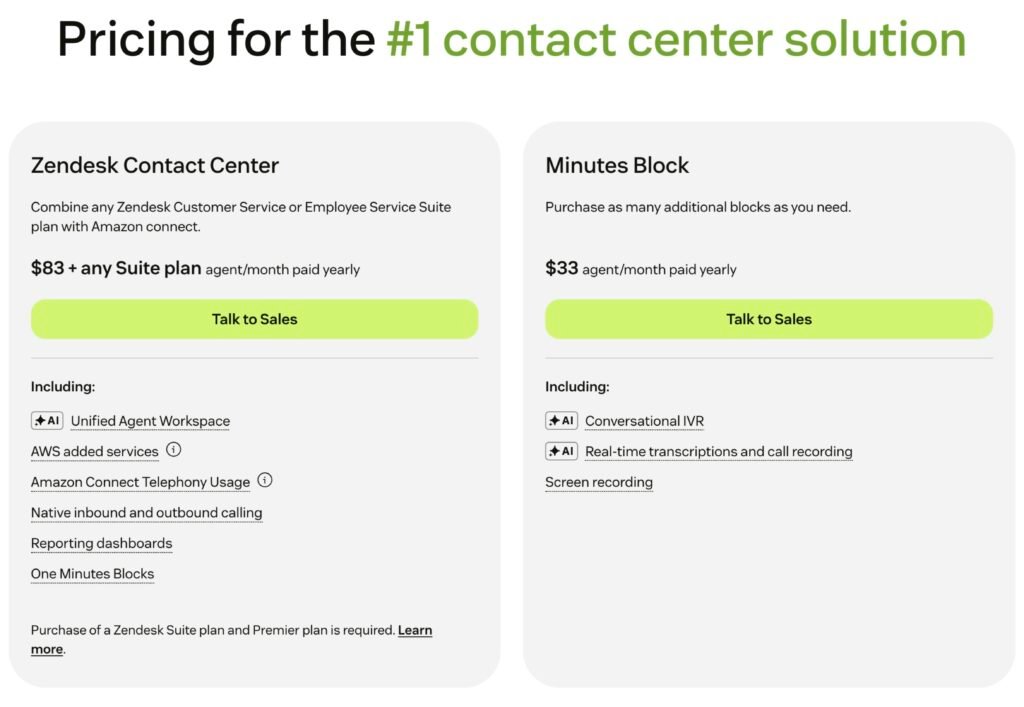
Is Contact Center $83 per agent on its own?
No. Zendesk’s Contact Center pricing page presents $83 per agent per month as additive to a Suite plan and states that a Suite plan and a Premier plan are required. It separately lists a Minutes Block and names AWS and Amazon Connect telephony usage as consumption-billed.
Methodology
This is a Tier C briefing: built from primary documents, with no account, no purchase, no invoice, no dashboard access, and no product testing. Tier describes evidence depth, not product quality.
Every claim traces to a Zendesk-published page opened on 10 August 2026, cited at the end of the section that uses it. Where a page carries an effective or modified date, that date appears in the citation; where it does not, the access date is used. Zendesk’s help center documents state a vendor’s position and describe an interface. They are not the governing contract, which is the Order Form.
Some things are absent on purpose. No pay-as-you-go rate is quoted, because none is published. No modeled monthly invoice appears, because a tier price is required to build one honestly. No figure inside any Zendesk example image is reported: the service order and invoice examples are labeled as placeholders by Zendesk, and the dashboard example carries tier counts that do not reconcile with its own total. Only interface labels and groupings are taken from those images. Monthly, non-annual plan prices were not captured. Of the non-US pricing pages, only the Japanese one was opened. No competitor per-resolution comparison is made, because the billing units have not been shown to be equivalent.
Research leads came from several external AI systems, including a hostile audit pass that identified the two-model structure this briefing is built on and a set of monitoring controls that an earlier draft had missed. Every one of those leads was checked against the Zendesk page before use, and no claim here rests on an external output that was not confirmed that way.
Future Stack Reviews has no affiliate, referral, or reseller relationship with Zendesk and received no compensation, product access, or advance material.
Verdict
Zendesk AI can be bought well. It cannot be budgeted from the pricing page.
The reason is structural rather than adversarial. A product mid-transition between two billing architectures cannot publish one rate card, so Zendesk publishes a floor and moves the real numbers into the service order. Seat count still matters, but its role has changed: it now sets the size of a dollar allowance rather than a number of resolutions. And the question of which conversations draw on that allowance is answered differently by two of Zendesk’s own current pages.
Zendesk gives buyers a genuine audit trail for all of this: two dashboards, a warning at 80%, a per-resolution export with a cost column, and a route to challenge a tier assignment. What the documentation does not give them is a price to audit against, or a control that stops spend inside the month it started.
So the negotiation worth having is short. Which model is this account on, when does it move, what does each tier cost, and when does Don’t allow overage actually take effect. Four answers, in the Order Form, before signature.
The fifth question, whether Contained resolutions draw on the allowance, is one an existing customer should stop asking Sales and answer from their own export.
Tier B briefings are hands-on tested with account-based evidence. Tier C briefings are document-first, with no hands-on testing.
Where to look if the allowance model and the unpublished tier pricing rule Zendesk out.
For shortlists that run through Intercom and the other outcome-priced support vendors.
The same two problems in another product: a meter you cannot fully trust, and pricing held back from the public page.
What happens when the advertised price and the invoice separate, and the tool itself cannot see the gap.
Another vendor whose own usage surfaces report different numbers, which is the shape of the tier conflict above.
Renewal repricing outside AI: when the number you signed at is not the number you renew at.
Holding a Zendesk service order, invoice, or resolution allowance dashboard that answers one of the five questions above? Or evaluating a renewal and want a second read on the AI terms?
[email protected]Correspondence is confidential unless you state otherwise, and account identifiers are redacted before anything is published.
Future Stack Reviews is an independent structural audit publication operated by 合同会社Future Stack, Osaka, Japan. This briefing is document-first research for procurement and integration decisions. It is not legal, tax, or financial advice, and it does not assess any organization’s regulatory compliance. Product terms and prices change without notice; verify against the linked primary sources before acting.